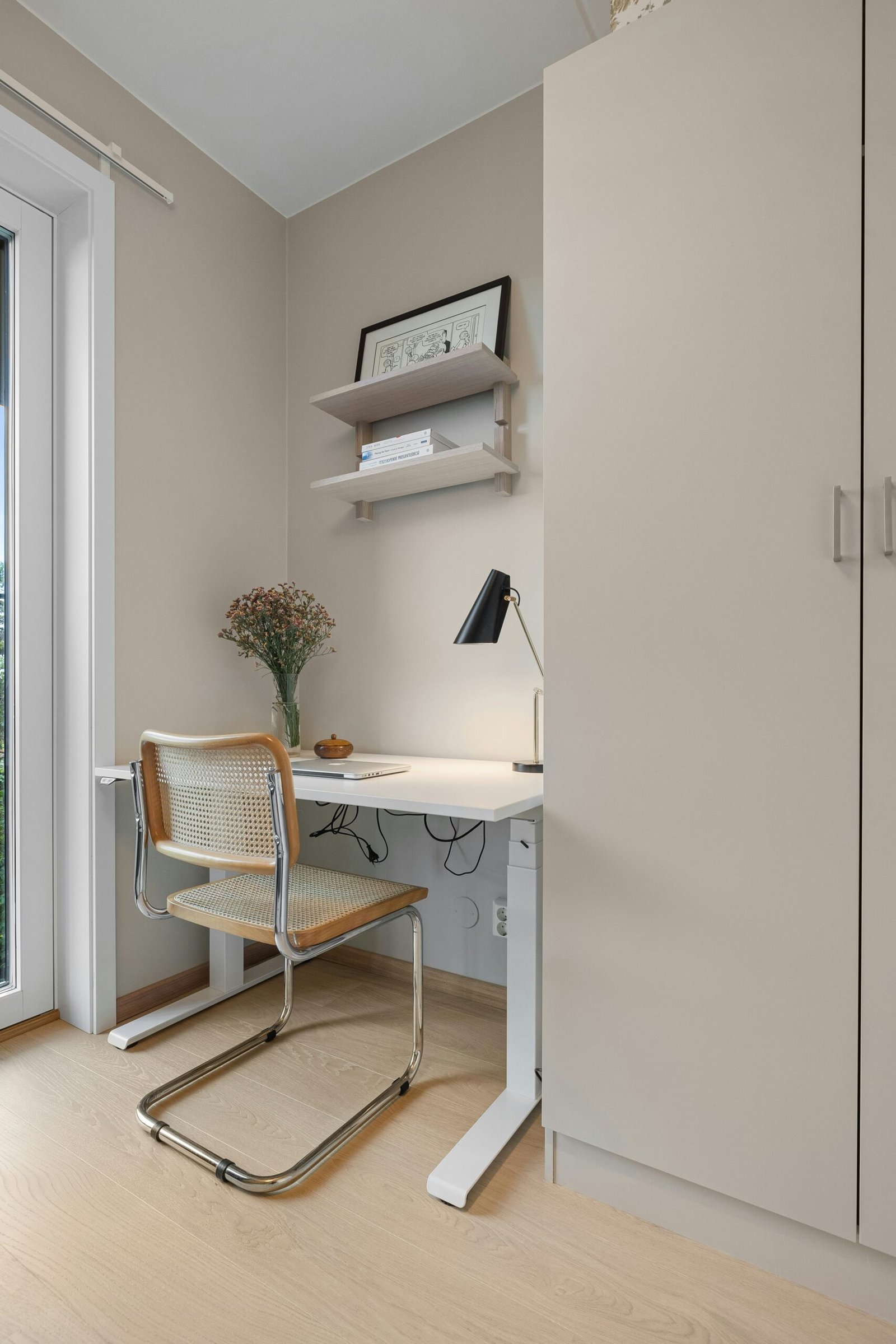

Murphy Bed Desk Hardware: Summary and Key Takeaways
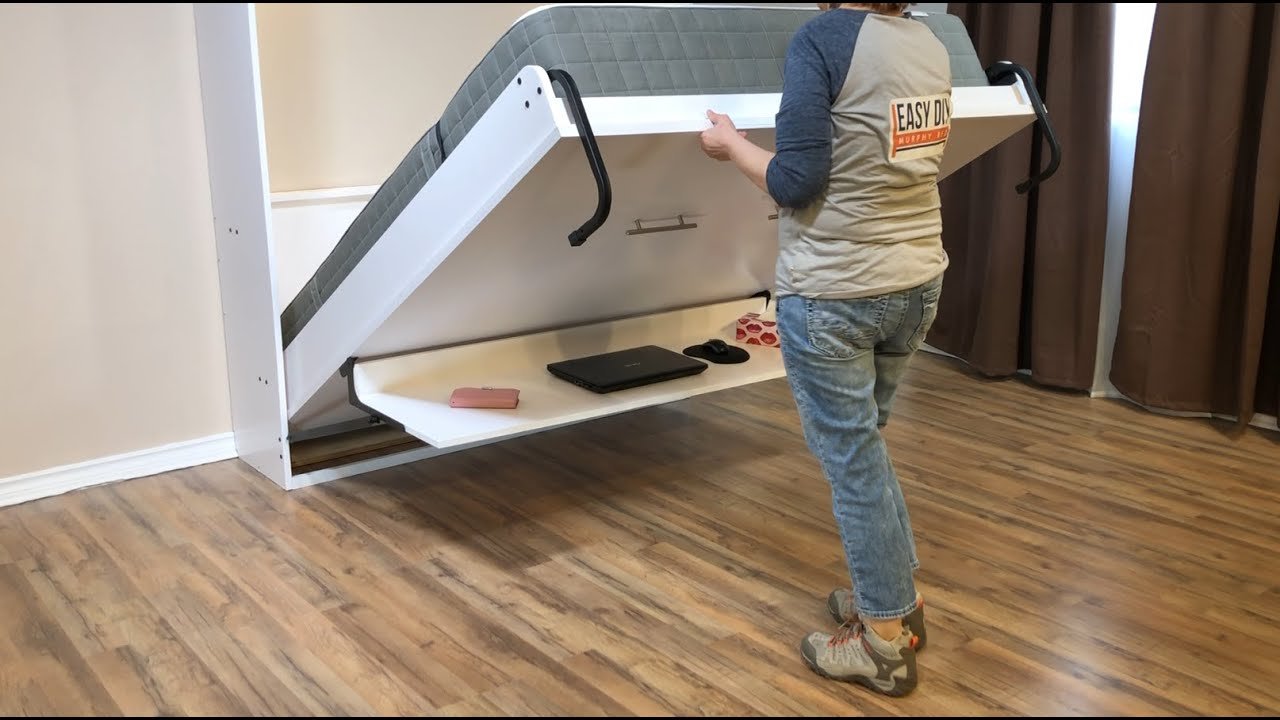
Redesigned Murphy bed desk hardware from Easy DIY Murphy Bed USA uses stronger balancing arms and more adjustable brackets to support a wider range of desk setups. The creator says the desk can support up to 45 pounds while the bed is in use. That figure describes the desk’s stated capacity; the video does not provide a combined load rating for the bed, mattress, and desk assembly.
Fit depends on more than the brand name. Before ordering, identify your bed’s maker, model, size, and orientation, then compare the planned desk depth with the measurements in the video. For example, the stated maximum is inches for king, queen, double, and twin vertical beds; inches for queen and double horizontal beds; and inches for a twin horizontal bed.
The video names several compatible options, including Easy DIY Murphy Bed models from twin through king and some third-party kits and ready-made beds. Compatibility isn’t universal: the kit does not work with the Create-A-Bed twin horizontal Murphy bed. Treat the product list as a starting point, not a guarantee for every version of a brand’s hardware.
- Capacity: up to pounds on the desk when the bed is in use, as stated by the creator.
- Depth: choose according to bed size and orientation; twin horizontal is limited to inches.
- Fit: confirm the exact bed model with the hardware provider.
- Weight: consider whether the mattress or frame is already heavy before adding a desk.
For planning, write down your bed details and measure the proposed desktop before purchasing Murphy bed desk hardware. The creator’s main practical message is to check fit, depth, and existing bed weight together rather than relying on the desk capacity alone. Those checks can help you avoid choosing a board that extends past the frame or a kit that isn’t meant for your bed.
What Changed in the Redesigned Murphy Bed Desk Hardware
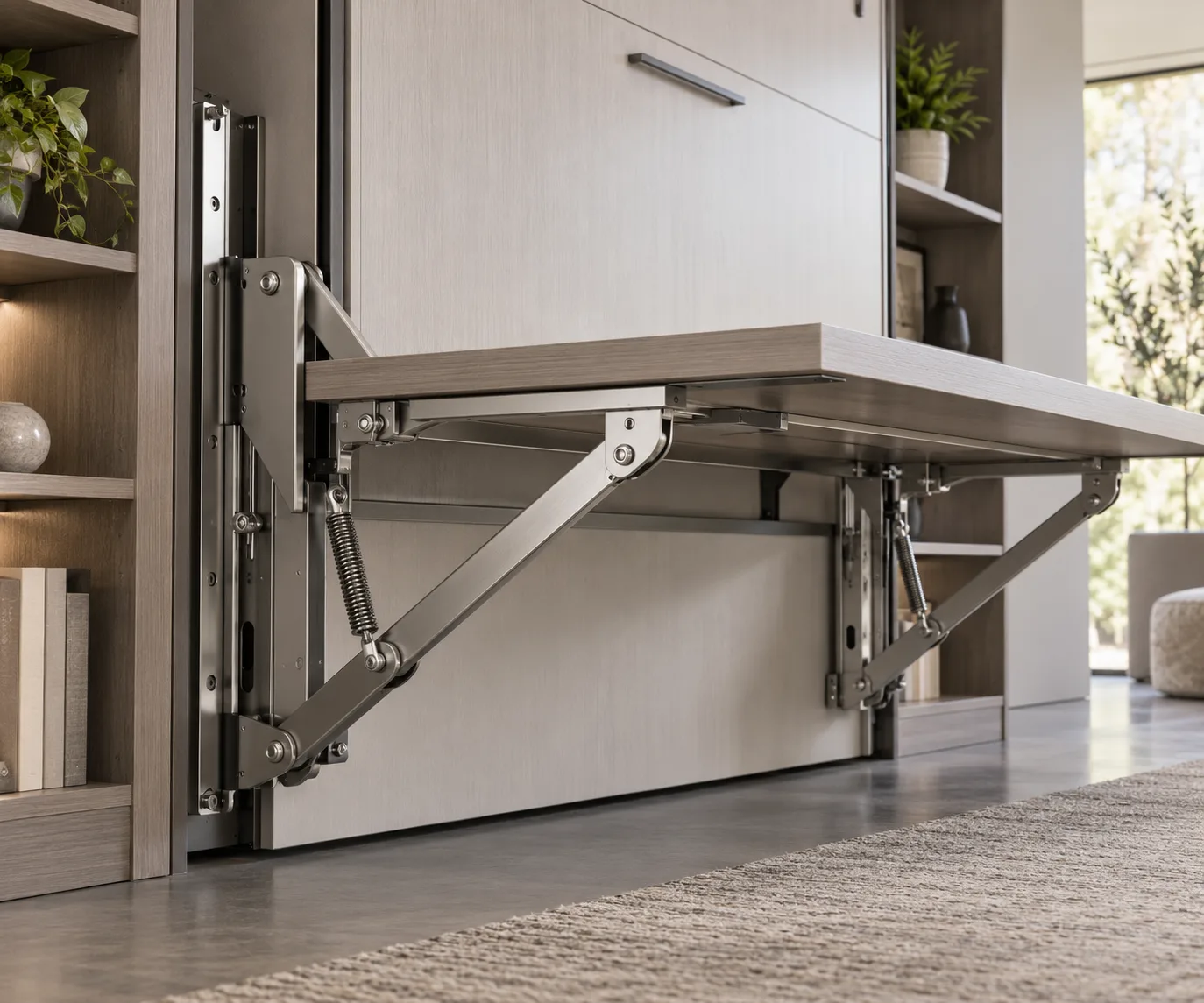
The redesign centers on two changes: stronger balancing arms and more adjustable desk-arm brackets. According to Easy DIY Murphy Bed USA, the arms are now made from 16-gauge round tube and support twice the weight of the company’s previous design. The video doesn’t give a weight figure for the old design, so the comparison should be understood as the creator’s stated relative improvement rather than a separate numeric rating.
The practical figure the video does provide is a desk capacity of up to pounds when the bed is in use. The creator says the added support can make it possible to use a heavier desk or leave heavier objects on the desk while the bed is open. That capacity is useful when you’re considering the desktop and the items that may remain on it, but it shouldn’t be read as a rating for the total bed assembly.
The brackets have also gained more adjustability. In practical terms, that gives the hardware a wider range of potential bed setups to accommodate. It does not mean every Murphy bed will fit: the creator specifically describes compatibility with many brands and identifies an exception later in the video.
When assessing Murphy bed desk hardware, use the specifications for different decisions:
- Use the 45-pound figure as the stated desk capacity while the bed is in use.
- Use the 16-gauge round-tube detail to identify the redesigned arm construction.
- Ask the provider whether the adjustable brackets suit your exact bed model and orientation.
These distinctions matter because a stronger desk mechanism doesn’t eliminate the need to check the bed itself. If the mattress or frame is already heavy, the creator advises considering that before adding a desk. The video doesn’t quantify how much total bed weight the redesigned parts can support, so don’t infer a combined rating from the desk capacity.
Murphy Bed Desk Hardware Compatibility
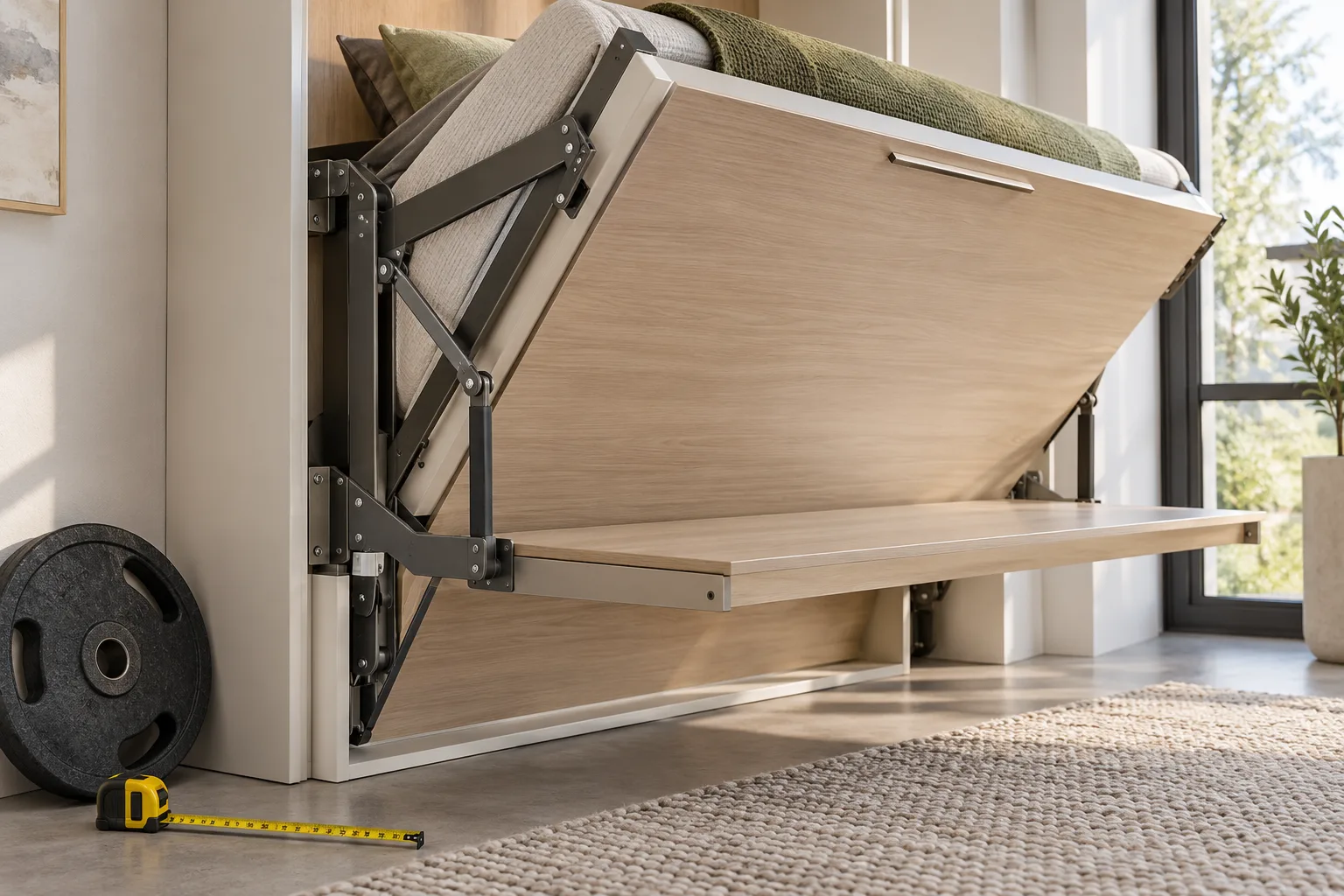
Easy DIY Murphy Bed USA says its desk kit works with its Murphy bed sizes from twin through king, in both vertical and horizontal styles. The video also mentions some other DIY Murphy bed hardware kits and a few ready-made beds. It names Murphy Wall Beds, I Assemble, and Create-A-Bed among the other DIY kit options, and identifies Murphy Wall Beds and B-Strong as examples of ready-made beds.
Those names should not be treated as a complete, model-by-model compatibility chart. The creator uses qualified language, referring to compatibility with some kits and a few ready-made beds. A manufacturer may offer different frame designs or orientations, so a brand appearing in the video doesn’t establish that every product it sells will accept the desk hardware.
There is one explicit exclusion: the hardware does not work with the Create-A-Bed twin-size horizontal Murphy bed. This is a useful reminder to check the exact model and orientation rather than asking only whether the kit works with a particular brand. A twin vertical bed and twin horizontal bed have different stated desk-depth limits, and the video identifies the twin horizontal Create-A-Bed as incompatible.
Before ordering Murphy bed desk hardware, take these steps:
- Find the bed’s manufacturer and exact model name, if available.
- Record the bed size and whether it is vertical or horizontal.
- Tell the hardware provider whether your bed is a DIY kit or ready-made.
- Ask for confirmation that the particular model and orientation are compatible.
For third-party or ready-made beds, get confirmation from the seller before purchasing. If the answer is uncertain, share the model information and relevant measurements rather than assuming that a brand listed in the video guarantees a fit. This check is especially important for the named Create-A-Bed twin horizontal exception.
Choose Desk Depth by Murphy Bed Size and Orientation
The maximum desk-board depth in the video depends on both bed size and orientation. Easy DIY Murphy Bed USA offers these measurements as planning guidance for choosing a desk board before buying a kit. Measure the proposed desktop from front to back and compare it with the appropriate category; don’t apply a vertical-bed limit to a horizontal model simply because the bed is the same size.
- King, queen, double, and twin vertical: desk depth can be up to inches.
- Queen and double horizontal: desk depth can be up to inches.
- Twin horizontal: desk depth must not exceed inches.
The twin horizontal limit has a specific reason in the video: a deeper desk may extend beyond the footer end of the bed frame. The creator demonstrates this fit concern, so the 12-inch figure is a boundary to respect, not simply a suggested preference. If your planned board is deeper, don’t assume the brackets’ increased adjustability will solve the frame-clearance issue.
Use the figures as the starting point for a practical fit check. First, identify the bed’s size and orientation. Next, measure the actual board you plan to use—not just the dimensions you hope to buy. Then compare the board’s depth with the video’s corresponding maximum and inspect where its edge will sit relative to the bed frame, particularly the footer on a twin horizontal model.
These measurements help you evaluate Murphy bed desk hardware before purchase, but they don’t replace checking the exact model with the provider. A board at the maximum depth still needs to suit the bed and the hardware arrangement. If you’re close to a stated limit or unsure how the measurement applies to your frame, ask the seller to confirm before ordering. That approach is more reliable than trimming or replacing a board after discovering that it projects beyond the frame.
Check Weight Before Adding a Desk
Before adding a desk, consider whether your mattress or bed frame is already on the heavy side. Easy DIY Murphy Bed USA gives this caution near the end of the video. It matters because the stated 45-pound capacity applies to the desk when the bed is in use; the video does not say that pounds is a rating for the full bed, mattress, frame, and desk together.
Keep those figures and questions separate. The creator says the redesigned arms support twice the weight of the previous design and that the desk can support up to pounds in the stated use condition. The transcript does not provide a combined load rating, a maximum mattress weight, or a total bed-assembly limit. You therefore can’t use the desk figure to calculate how much total weight your particular Murphy bed can safely carry.
Make a short checklist before buying Murphy bed desk hardware:
- Identify the bed: note its brand or maker, model, size, and vertical or horizontal orientation.
- Measure the desk: record the planned board depth and compare it with the applicable maximum.
- Review existing weight: consider the mattress and frame, as the creator advises.
- Ask about uncertainties: contact the hardware provider if you need model-specific fit or load information.
This checklist doesn’t produce a combined rating that the video never states. Instead, it helps you gather the right details and avoid treating the desk’s capacity as permission to add any amount of weight to the bed system. If the mattress or frame seems heavy, raise that point with the provider before purchase rather than relying on the 45-pound desk figure as an answer to a different question.
A Practical Fit Check Before You Buy
A reliable pre-purchase check combines the creator’s compatibility details, desk-depth limits, and weight caution. Work through the checks in order, and don’t stop after confirming that your bed’s brand appears in the video. The creator says the hardware works with some third-party kits and ready-made beds, not necessarily every model from those brands.
- Identify your bed. Write down the maker, model, size, and orientation. If you have a ready-made bed, identify it as such when contacting the provider.
- Confirm compatibility. Ask whether the exact model and orientation work with the kit. Remember that the Create-A-Bed twin horizontal Murphy bed is specifically excluded.
- Measure the proposed board. Compare its depth with the stated maximum: inches for king, queen, double, and twin vertical beds; inches for queen and double horizontal; and inches for twin horizontal.
- Check frame position. Pay particular attention to a twin horizontal setup: a deeper board may extend beyond the footer end of the frame.
- Consider existing weight. Review whether the mattress or frame is already heavy, and ask the provider about any concerns the video doesn’t resolve.
Keep your measurements and model information together when you contact the seller. That makes it easier to ask a specific question, such as whether a particular horizontal model accepts a board of a measured depth. The more precise the information you provide, the less you have to rely on a general brand-level claim.
Use this process to assess Murphy bed desk hardware as a complete fit decision. The 45-pound desk capacity is one specification, but it does not answer whether the brackets match your bed or whether your board clears the frame. Confirm uncertain compatibility—especially for third-party and ready-made beds—with the hardware provider before placing an order.
What the Video Establishes—and What to Confirm
Easy DIY Murphy Bed USA provides several concrete specifications: the redesigned balancing arms use 16-gauge round tube; the creator says they support twice the weight of the previous design; the desk can support up to 45 pounds when the bed is in use; and the stated maximum desk depths vary by bed size and orientation. The video also identifies an explicit compatibility exception for the Create-A-Bed twin horizontal model.
Other details remain unstated. The transcript does not provide installation instructions, a combined bed-and-desk load rating, or a complete model-by-model compatibility list. It also doesn’t give a numeric weight rating for the previous arm design. Keep these gaps in mind when deciding what the video can and can’t answer.
For example, the 45-pound desk figure can help you think about the desktop and items placed on it, but it doesn’t establish the total allowable weight for your particular mattress, frame, and desk. Likewise, a brand named as compatible isn’t proof that every model or orientation from that maker fits. The seller is the right place to verify those specifics.
To review the source directly, watch the original Easy DIY Murphy Bed USA video. The video presents the redesign, compatibility examples, and desk-depth demonstrations, but it doesn’t assign timestamps in the supplied transcript. For model-specific questions, contact the hardware provider and share your bed’s exact details. That’s the most useful next step when the information shown doesn’t cover your setup.
When evaluating Murphy bed desk hardware, separate the creator’s stated specifications from the questions that need a seller’s answer. Confirm compatibility, clarify any load concerns, and verify your measurements before buying rather than filling gaps with assumptions.
Final Checks for a Better-Fitting Desk
The redesigned hardware offers stronger balancing arms, adjustable brackets, and a stated desk capacity of up to pounds while the bed is in use. Those details can help you decide whether the product may suit your project, but fit still depends on the exact Murphy bed, the board’s depth, and the bed’s existing weight.
Before you buy, take three practical actions: record your model, size, and orientation; measure the proposed desktop and compare it with the listed maximum; and consider whether the mattress or frame is already heavy. If you have a third-party or ready-made bed, ask the seller to confirm compatibility for that exact model. Don’t overlook the 12-inch maximum for twin horizontal beds or the stated Create-A-Bed twin horizontal exception.
For a final source check, revisit the video from Easy DIY Murphy Bed USA and compare its specifications with the details of your own bed. The creator gives clear depth limits and several compatibility examples, while leaving installation instructions, combined load ratings, and full model-by-model fit details unanswered.
Approach Murphy bed desk hardware as a fit-and-measurement decision, not just a weight-capacity choice. A confirmed model match, a correctly measured board, and a conversation with the provider where needed are the most useful steps to take before ordering.
Key Takeaways
- The redesigned arms use 16-gauge round tube, and the creator says they support twice the weight of the previous design.
- The desk is stated to support up to pounds when the bed is in use; this is not a combined bed-and-desk load rating.
- Maximum desk depth varies by bed size and orientation: up to inches for king, queen, double, and twin vertical; inches for queen and double horizontal; and inches for twin horizontal.
- Compatibility is not universal. Confirm your exact bed model and orientation, particularly for third-party or ready-made beds.
- Consider the mattress and frame weight before adding a desk, and ask the provider about questions the video doesn’t answer.
Frequently Asked Questions
How much weight can the redesigned desk support?
Easy DIY Murphy Bed USA states that the desk can support up to pounds when the bed is in use. The video does not give a combined load rating for the desk, bed frame, and mattress.
What is the maximum desk depth for a twin horizontal Murphy bed?
The desk depth must not exceed inches. The creator explains that a deeper desk may extend beyond the footer end of the bed frame.
Does the hardware work with every Murphy bed brand?
No. The creator names some compatible third-party kits and ready-made beds, but not every model is covered. The kit does not work with the Create-A-Bed twin-size horizontal Murphy bed.
Can a heavier mattress or frame affect whether a desk should be added?
Yes. The video advises considering whether the mattress or bed frame is already on the heavy side. It doesn’t provide a combined bed-and-desk load rating, so check with the hardware provider about your setup.
What is the maximum desk depth for a queen horizontal Murphy bed?
The stated maximum for queen and double horizontal beds is inches. Measure the planned desktop and confirm fit for your exact bed model before ordering.